Learn How to Easily Migrate AOL to Gmail with Safety

 4.9based on 1207 user reviews
Over the years, the process of email migration has evolved drastically. From using POP3 for basic transfers to modern cloud-based migration, the enhancement of transferring emails between different platforms heavily demands security, precision, and efficiency. Forwarding AOL mail to Gmail has become one of the common requirements for the purpose of connecting an outdated platform with an advanced one to construct a secure email ecosystem.
Once known as one of the best email communications associated with the internet to the real world in the early 2000s, AOL was widely considered to be a progressive technology among users. However, as time passed by, users’ expectations rose.
After Gmail emerged in the world, it rapidly became the most used email platform across the globe, providing seamless security and integrations for several purposes, like business, personal use, or modernizing the digital world.
Read the blog till the end to know more about why email migration is not just about forwarding messages, but sustaining attachments, communication, timestamps, folder structure, and metadata. Below are some of the proven methods to safely migrate AOL to Gmail in a well-planned manner.
Why the Need to Migrate AOL to Gmail Arises?
Users often transfer AOL to Gmail for the following reasons, based on both long-term usability and technical merits:
- Reliability and Security: Gmail provides the ultimate security benefits like two-factor authentication, threat monitoring regularly, phishing detection, spam filtration, and the list goes on, and offers a safe ecosystem for confidential data files.
- Satisfactory Storage Capacity: Unlike AOL storage, the industry-leading system provides an ample amount of space with more scalable options, which users can avail to import AOL to Gmail with attachments.
- Google Workspace: Users can use Google Workspace tools like Drive, Calendar, Docs, Meet, etc. to divide their data accordingly, increasing productivity with a healthy workflow.
- Easily Accessible: Enable users to seamlessly access their emails from any operating system, at any location, without any complicated configurations, promoting, work-from-anywhere environment.
- Healthy Management: With the help of filters, labels, alerts, and search, users can organize their communication to the utmost productive level, unlike AOL.
Manual Methods to Transfer AOL to Gmail
Post Office Protocol (POP3) Method
Phase 1: Secure AOL Source
- Open and log in to your AOL account
- Tap on “Generate App Password”
- Choose the option “Other App” in the dropdown
- Call it “Gmail Migration” preferably
- Finally, generate and record the security code of 16 characters
Phase 2: Configure to Gmail
- Open Gmail and go to settings
- Click on “See all settings.”
- Direct to “Accounts and Import” option
- Navigate to “Import emails from my other account (POP3)”
- Enter the following details:
Username:
Password
Pop Server: pop.aol.com
Port: 995
Verify: “Always use a secure connection (SSL).”
Check: “Label incoming messages.”
Limitations of Manual Method to Forward AOL Mail to Gmail
Manual methods are useful only while dealing with minimal information in small quantities. However, to migrate AOL to Gmail, which consists of critical data in bulk, has had numerous issues during the process. Several complications are the following:
- Methods like POP3 are packed with non-secure protocols, as they only detect “Inbox.” If users have historical data, such as property records, taxes, documents, and confidential files, manual techniques will simply segregate these files from emails during the process, hindering the hierarchy.
- Does not guarantee the completion of email transfer, as it could leave numerous elements, such as attachments, skipped emails, and overlapping files with others, which leads to a higher chance of data loss.
- Fails to sustain crucial attributes like read/unread status, sender/receiver details, and timestamps
- Not suitable for processing thousands of files or multiple accounts, as migrating a large amount of data leads to sudden crashes and generates incomplete resultant files, along with consuming plenty of users’ time and effort.
- This requires constant troubleshooting, monitoring, and configuring accounts repeatedly to make sure all data is aligned and complete when users migrate AOL to Gmail.
Move AOL to Gmail Using the Professional Method
To acknowledge and address such scenarios of manual transfers, many professionals and experts seek assistance from advanced solutions like the Email Backup Wizard. This software utility is designed to seamlessly migrate AOL to Gmail for high-volume information, including historical data.
Unlike any manual solution, this robust tool forwards AOL email to Gmail directly from server to server, creating an exact mirror of users’ AOL accounts and easily configures it to Gmail without any complications. This tool is constructed to deal with the purpose of providing a one-on-one transition between the two platforms while preserving the integrity of the data during and after the migration is completed.
Steps to Follow to Convert AOL to Gmail
- Install and open the tool on your device
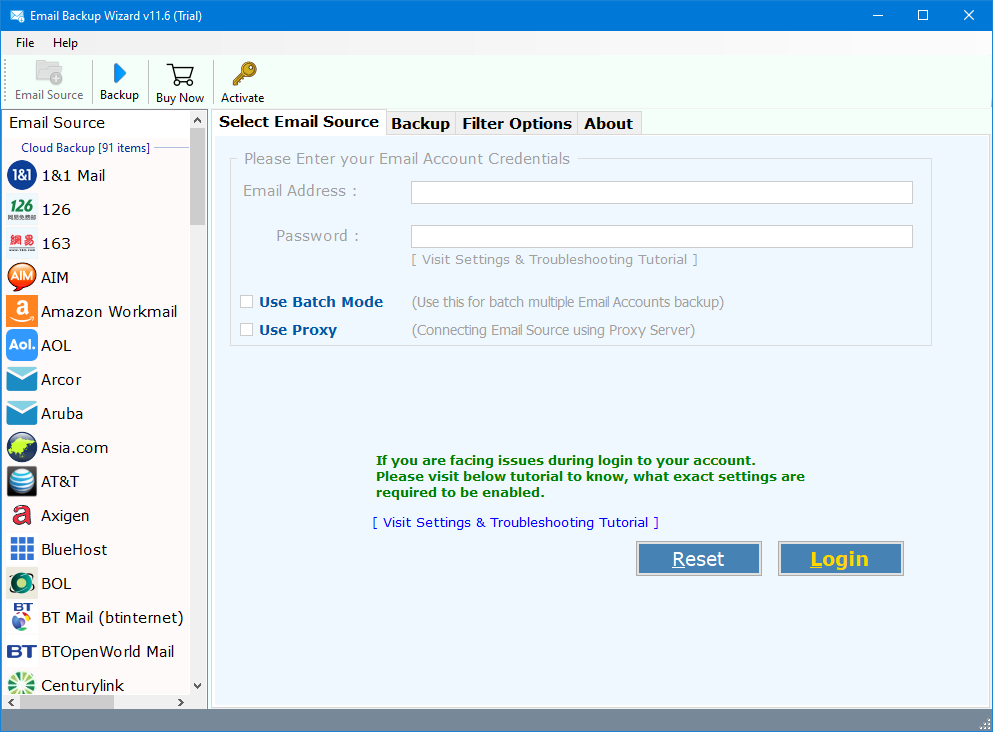
- Enter your AOL login details

- Select the emails you need to migrate
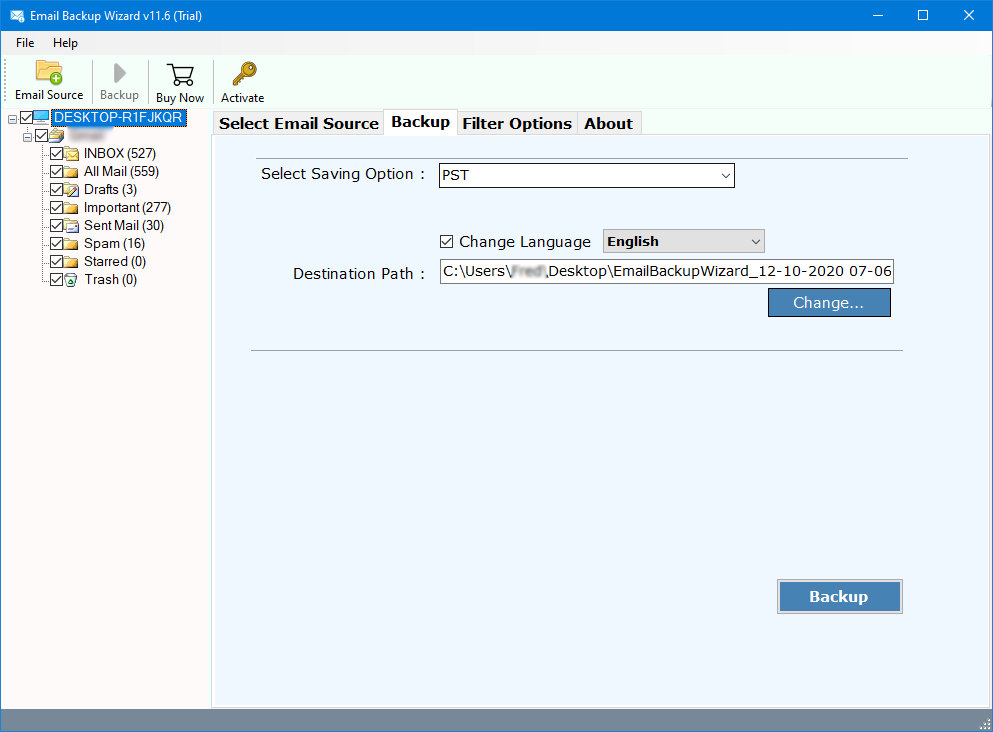
- Choose “Gmail” as the saving option

- Enter your “Gmail” credentials

- Choose “IMAP” if the preferred option is not given (optional)
- Finally, hit “Sign in with Google”
Top Features of the Automated Tool
- Easily migrate AOL to Gmail, including all elements like sent data, drafts, inbox, and customized folders.
- Ensures the preservation of the integrity of the data during and after the import process, consisting of attachments, timestamps, email headers, metadata, and the list goes on.
- Users can avail advanced filters to select and migrate AOL to Gmail according to criteria like date range, subject, sender, folder name, etc., avoiding any unwanted or unnecessary data, is processed with the important ones.
- Efficiently forward AOL mail to Gmail in bulk, without any degradation of performance or complicated sync.
- Provides an intuitive and user-friendly interface for users, whether they are from a technical or non-technical background.
- Generates a detailed report after the migration is completed, enabling users to check and verify that all their files are in order with their respective attachments.
Conclusion
While adopting a traditional approach can be beneficial to deal with an unorganized or small amount of inbox. It is not possible to migrate AOL to Gmail on a large scale as it represents a grave risk of data loss and unveil threats. To avoid such situations it is highly suggested to always to with experts’ recommended tools. Through manual method, users can stay stress-free as all their data is completely ensured since the tool offers a modern, secure, and safely preserved ecosystem data regardless of the file size.
4.9
based on 1207 user reviews