How to Migrate Hotmail to Google Workspace Safely?

 4.9based on 1207 user reviews
Nowadays, many users want to migrate Hotmail to Google Workspace to access email management easily. Hotmail accounts often lack advanced features, which is why migrating Hotmail to Google Workspace is a smart choice and helpful to users. You can move Hotmail to Google Workspace simply, but it may lead to data loss, sync errors, and missing emails.
To migrate Hotmail (outlook.com 365) to Google Workspace, you can use built-in data migration services or you can use professional methods. Usually, professionals import Hotmail to Google Workspace for large automated transfers, connecting Microsoft 365 accounts and mapping users to copy contacts, emails, and calendars. In this blog, you’ll learn how to transfer Hotmail to Google Workspace smoothly.
What Is Hotmail?
Hotmail is a free web email service launched by Microsoft. Now, it is a part of Outlook.com. Hotmail works fine for personal uses, but it may lack some advanced features that are necessary for better business management, such as email management, backup, and collaboration.
What Is Google Workspace?
Google Workspace, also known as G Suite, is a cloud-based platform provided by Google. It includes Gmail, Docs, Drive, Calendar, and Admin tools. Most of the business professionals prefer Google Workspace as their main management tool because it offers better security, integrity, and team collaboration.
Why Most of the Users Prefer Google Workspace?
Most of the users prefer Google Workspace as their primary management tool because it is a powerful, combined, and cloud-based service provider that enables an easy real time collaboration, productivity, and remote work to all of its users. Some of the key reasons are as follows:
- Easy Accessibility: As it is a cloud-based platform, it can be easily accessible from anywhere and from any device. It saves all of your data in Drive automatically.
- Seamless Collaboration: It gives real-time collaboration to the users in Docs, sheets, and slides, also chat and video conferencing to keep teams in sync.
- Fully Secured: Google Workspace provides built-in security, encryption, two-step verification, and admin accesses to protect data from viruses and malware attacks.
- Increased Productivity: Universal platform, that makes workflows smooth, reduces dependence on local apps, and improves efficiency for both remote and in -office teams.
Tips to Consider While Moving Hotmail to Google Workspace
Keep these following points in mind before migrating Hotmail to Google Workspace:
- Always keep a backup of your Hotmail emails.
- Check the storage limits of Google Workspace.
- Try to avoid migration during peak working hours.
- Ensure a stable connection of the internet.
- Always verify that Hotmail IMAP access is enabled.
Manual Method to Migrate Hotmail to Google Workspace
You can move Hotmail to Google Workspace account manually using the Google Admin Console and the Google Mail, we will provide you with both manual methods.
Method 1: Transfer Hotmail to Google Workspace using Google Admin Console:
- Firstly, sign in to your Google Admin Console.
- After that, go to Menu > Account > Data migration.
- Now, click Set Data Migration Up or Migrate.
- Then, choose Microsoft Office 365 as the source.
- And, click Authorise, sign in with your Microsoft account.
- Later on, select email, contacts, or calendars.
- Finally, click start and wait to transfer Hotmail to Google Workspace.
Method 2: Migrate Hotmail to Google Mail using Gmail account
- First of all, login to your Google Workspace Gmail account.
- After that, go to Settings > See all settings > Accounts & Import.
- Now, select the accounts and click on Import mail and contacts.
- Then, enter your Hotmail email address and provide credentials.
- Lastly, select the data to import, start the process, and wait.
These two methods help you transfer Hotmail to Google Workspace or Google account, but it works for limited data only.
Drawbacks of the Manual Method
The manual method to migrate Hotmail to Google Workspace account looks easy, but it shows several significant drawbacks. Some of the major disadvantages are listed below:
- They have a risk of incomplete email migration.
- It is a time-consuming process as it does support bulk emails.
- The user may requires technical knowledge to follow these methods.
- It does not allow you to choose selective email migration.
- There is no direct Hotmail to Google Workspace backup.
- Does not migrate large mailboxes to Google Workspace.
To overcome these limitations, we would like to introduce you all to the professional approach.
Professional Method to Migrate Hotmail to Google Workspace
If you want a safe and accurate transfer of your Hotmail emails to Google Workspace, then you should choose the Email Backup Wizard. This software gives you fast, secure, and reliable results to easily move Hotmail to Google Workspace. It transfers your emails securely and safely with its powerful utility. This tool allows the users to easily back up, export, and migrate Hotmail to Google Workspace without losing the data, while maintaining folder structure and email integrity.
Steps for Using The Professional Method
- Firstly, download and install the Email Backup Tool on your PC.
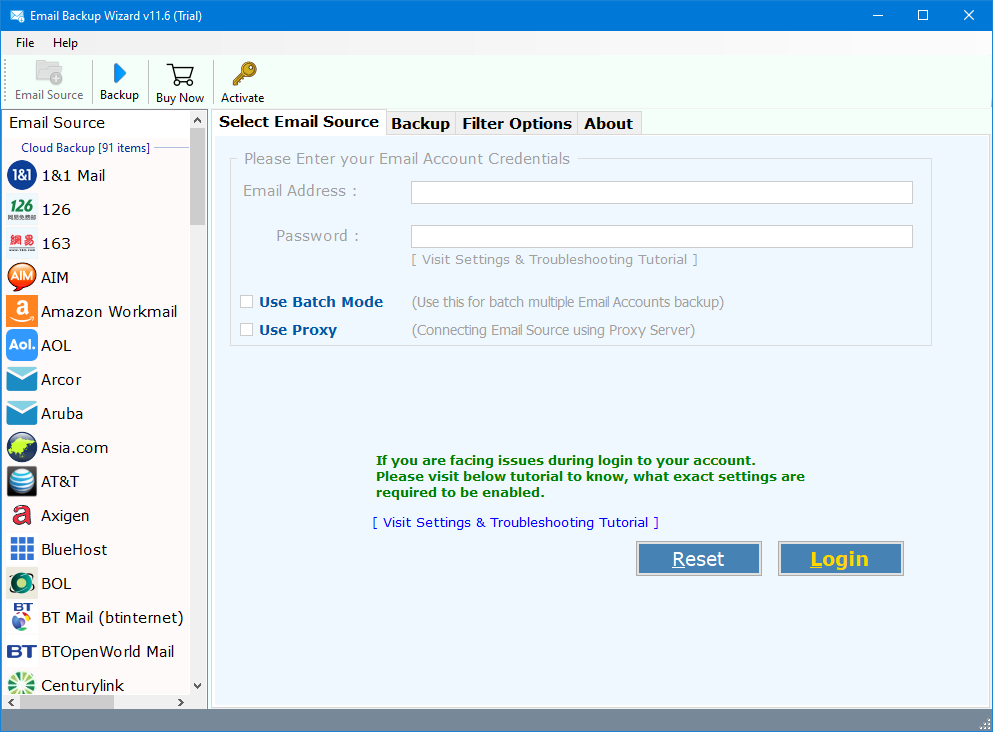
- Now, select the advanced option such as batch mode for multiple email account backup.
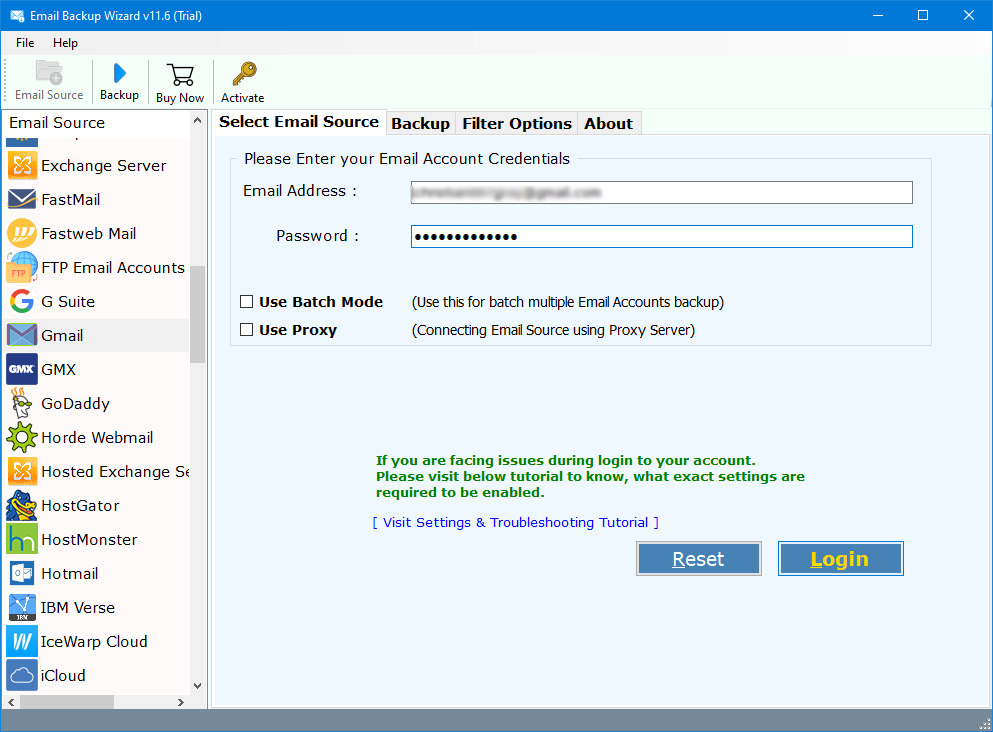
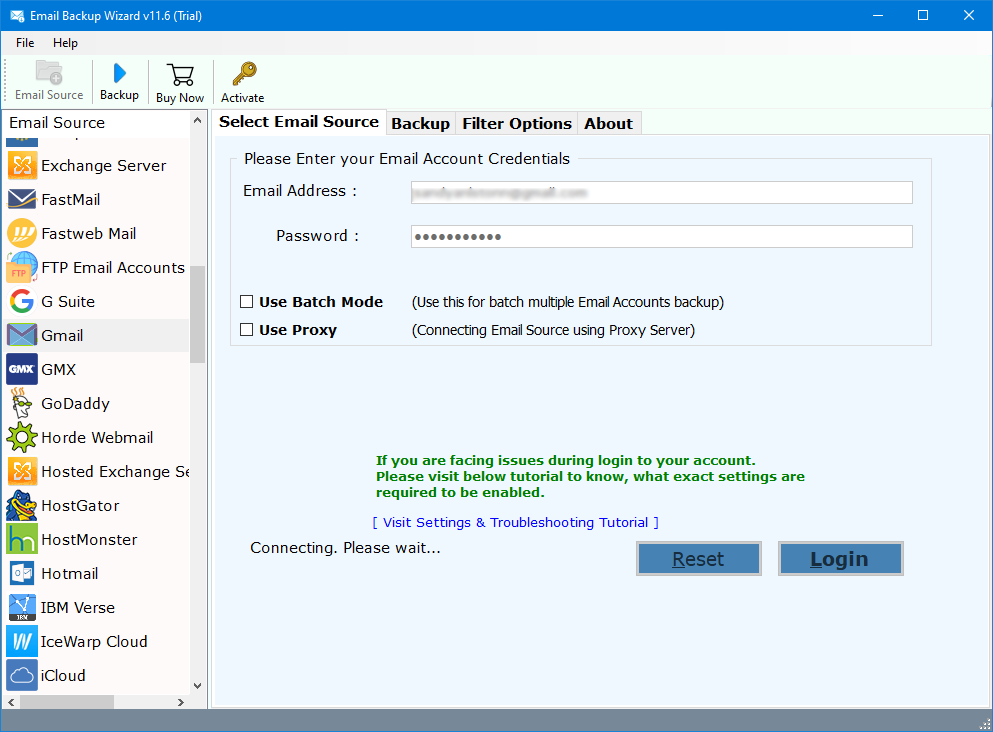
- After that, login using the Hotmail account credentials.
- Then, preview or select the required email folders from the left panel and choose destination path.
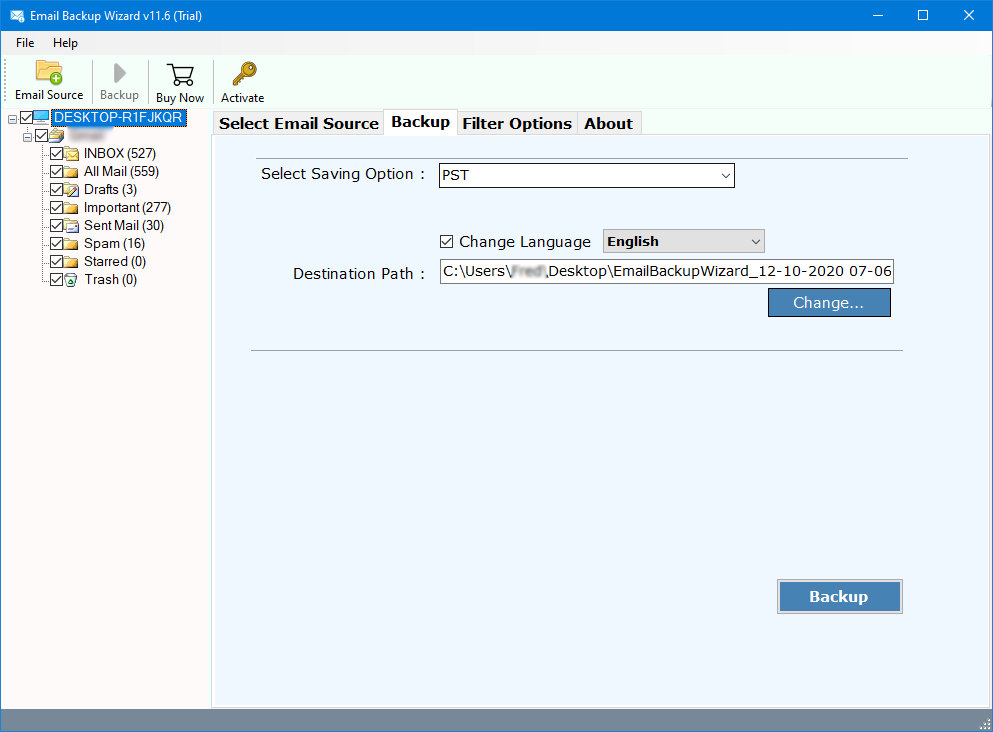
- Afterwards, choose the saving option as G Suite to export the email in Google Workspace.
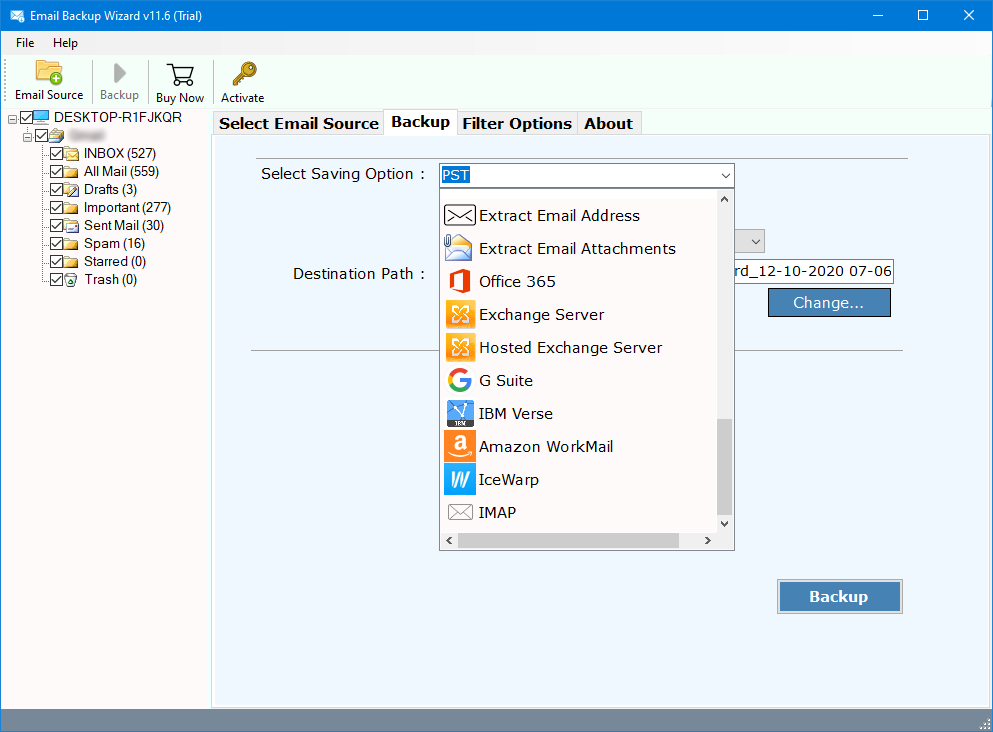
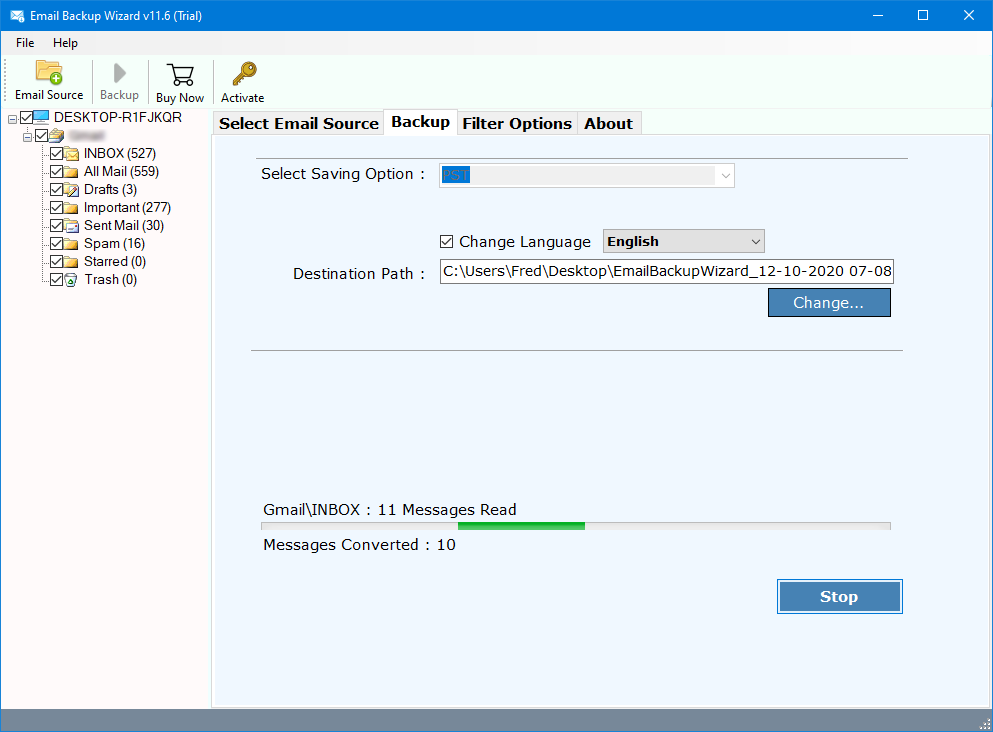
- Lastly, click on Backup and your Hotmail emails are transferred to Google Workspace.
Key Features of The Professional Tool
- This software migrates Hotmail to Google Workspace safely and securely.
- The tool maintains all email folders and meta data in their original format.
- It provides you with a selective email migration option.
- This tool migrates emails without losing any important data.
- Gives you a detailed log report and advanced search functionality.
Conclusion
In conclusion to this blog, we have explained the proven methods to migrate Hotmail to Google Workspace effectively. While manual methods can help in some basic cases, they are likely to help only personal users. The manual methods we have mentioned are not reliable and useful for large businesses or large scale migration processes. On the other hand, the professional method we have discussed is far better to move Hotmail to Google Workspace. As the professional solution gives complete, safe, and error free migration. If you want a smooth Hotmail to Google Workspace transfer then, you should choose a professional tool as it will be a smart choice.
4.9
based on 1207 user reviews